8 Actionable B-Roll Examples for High-Performing Videos
Discover 8 b roll examples you can recreate to boost your content. Learn to shoot trending shots for UGC, faceless, and AI influencer videos.
Effective short-form video is built with supporting visuals that hold attention, add context, and control pacing. This is B-roll. It’s the critical component for turning a simple clip into a high-engagement asset. To compete, you need specific, strategic b roll examples that are proven to work.
This guide provides a blueprint for eight essential types of B-roll driving views across social media. We will dissect everything from UGC-style reaction shots and compelling product demos to adaptable meme formats and effective screen recordings. Each example is broken down into a repeatable framework for immediate application.
This is a tactical library of high-impact visuals. You'll learn how to create and scale them, including using AI tools like VidCloner to generate footage with AI influencers or automate UGC, helping you scale faceless content efficiently. Let’s build.
1. Reaction Shot - Close-up Facial Expressions
A close-up reaction shot is one of the most potent b roll examples. It isolates the subject’s face to capture raw emotional responses—shock, laughter, or delight. This tight framing creates an immediate emotional connection, making it a staple for UGC-style content and reaction videos.

This shot guides the audience on how to feel about the primary content (the "A-roll"). A look of surprise validates a shocking reveal, while a smile on a UGC creator’s face builds trust for a product.
Strategic Breakdown
- Why It Works: Humans are wired to read faces. This shot feels personal and relatable. It serves as social proof, validating the A-roll's impact.
- Best For: UGC ads, meme reactions, app feature reveals, and unboxing videos where an emotional response is the goal.
- Framing & Motion: Use a medium-close-up or close-up. Keep the camera static to ensure the expression is the focus, which is critical for clean AI cloning.
How to Recreate & Scale
- Lighting: Use a soft light source (like a window) for even illumination that clearly shows expressions.
- Capture: Record short bursts of reactions to different prompts (surprised, happy, confused).
- Editing: Use quick cuts (1-3 seconds) to maintain a fast pace. Pair with trending audio or as a reaction to another video layer.
To scale, film a 1-2 minute video of yourself or an actor performing different reactions. Using a tool like VidCloner, you can upload this to create an AI influencer. Then, use its remake workflow to apply that face onto any existing viral reaction video, automating UGC automation and faceless content creation.
2. Product Unboxing & Feature Demo
Product unboxing and feature demos are a powerful form of B-roll that combines discovery with a practical showcase. This style uses sequential shots to guide the viewer through unpacking a product and showing it in use. It is a cornerstone for DTC brands and tech marketers.
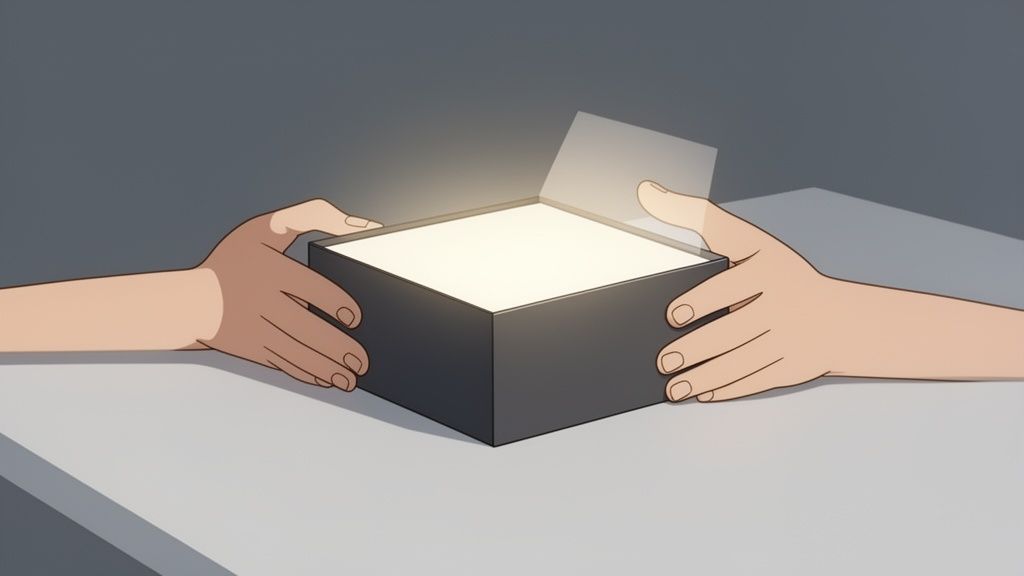
From premium unboxings to fast-paced TikTok gadget reveals, this format builds desire and educates consumers. The combination of visuals, satisfying ASMR-like sounds, and clear benefit callouts makes this one of the most effective b roll examples for converting viewers.
Strategic Breakdown
- Why It Works: This format satisfies curiosity and provides consumer information. It answers, "What's in the box and what does it do?" The hands-on approach builds trust.
- Best For: Tech gadgets, beauty products, subscription boxes, and app feature walkthroughs.
- Framing & Motion: Mix wide shots, medium shots (hands interacting with the product), and extreme close-ups (highlighting textures or buttons). Hand-held shots add authenticity.
How to Recreate & Scale
- Lighting & Audio: Shoot in bright, natural light for a clean aesthetic. Capture natural sounds of packaging tears and clicks for an ASMR effect.
- Capture: Film the entire process from multiple angles. Record the unboxing, first interaction, and 2-3 key features.
- Editing: Cut the sequence to build anticipation. Use text overlays to call out benefits. Keep the video fast-paced (15-30 seconds).
To automate this, find a viral unboxing video in your niche. Use VidCloner to create an AI influencer persona. Then, use the remake workflow to insert that face into the original video, placing your brand at the center of a proven format. This is ideal for faceless creators wanting to rapidly test product presentations.
3. Trending Dance & Movement Sequences
Choreographed dance moves synced to trending audio are a cornerstone of short-form video. This B-roll injects energy and relevance into any video. By participating in a viral trend, you tap into a massive conversation, boosting discoverability.
These sequences act as a visual hook, making content instantly recognizable. For brands, incorporating these trends can make ads feel more native and less intrusive.
Strategic Breakdown
- Why It Works: Platform algorithms prioritize content using popular sounds and patterns, increasing visibility. The shared experience builds community.
- Best For: Brand awareness, music promotion, viral marketing, and creating faceless content that feels personal and on-trend.
- Framing & Motion: A full-body or upper-body shot is essential. Use a static camera on a tripod. Vertical framing (9:16) is non-negotiable.
How to Recreate & Scale
- Identify Trends: Monitor the TikTok "For You" Page and trending audio charts. Act fast.
- Capture: Record multiple takes with consistent lighting. Precisely sync your movements to the audio cues.
- Editing: Cut clips to highlight dynamic movements. Add text overlays that connect the trend to your niche.
To capitalize on dance trends without performing them, find a viral video of a trend. Use VidCloner’s remake workflow to swap the face in the original video with your own AI influencer. This allows you to generate dozens of on-trend dance videos in minutes, perfect for faceless content or cloning viral videos. For more details, you can learn about AI-powered dance recreation.
4. Meme & Comedy Format B-Roll
Meme format B-roll consists of intentionally awkward or clever visual clips designed to deliver a punchline. These shots are the building blocks of viral comedy, including POV gags, split-screen comparisons, and exaggerated NPC movements.
This B-roll is purpose-built for shareability on platforms like TikTok, where humor drives virality. A well-executed meme format can turn a simple observation into a relatable and hilarious moment.
Strategic Breakdown
- Why It Works: Humor creates a positive association and is highly shareable. Meme formats tap into existing cultural trends, making content instantly recognizable.
- Best For: Meme pages, comedy creators, and brand marketing that relies on humor to connect with younger audiences.
- Framing & Motion: Framing is dictated by the meme format. POV shots are often handheld for authenticity. Split-screens require a static, tripod-mounted camera.
How to Recreate & Scale
- Identify the Format: Monitor trending memes on TikTok and X. Identify a popular format like a lip-sync sound or an NPC-style video.
- Capture: Film yourself or an actor performing the key actions. Record multiple takes with consistent lighting.
- Editing: Use text overlays to provide context. Precise timing is critical; sync your visual gag perfectly with the audio.
Scaling meme content requires speed. Create a personal AI clone from a single source video. With a tool like VidCloner, use the remake workflow to swap your clone's face onto any trending meme video. This allows you to produce hundreds of on-trend clips in minutes without filming new content for each trend.
5. Screen Recording & Digital B-Roll
Screen recordings are essential B-roll for showcasing any digital product. This footage captures a computer or mobile screen, making it indispensable for app demos, SaaS tutorials, and tech content. It visually walks the audience through software interfaces, providing direct proof of functionality.
For marketing SaaS products or mobile apps, screen recordings are the primary way to demonstrate value. They show the product in action, building confidence and clarifying features.
Strategic Breakdown
- Why It Works: It offers an authentic, first-person view of a digital experience. Viewers see exactly how an app works, which removes uncertainty.
- Best For: SaaS product demos, app store previews, software tutorials, and educational content explaining digital processes.
- Framing & Motion: Keep the screen clean. Use subtle zoom-ins (100-115%) to draw attention to specific UI elements. Use smooth dissolves between screens for a polished feel.
How to Recreate & Scale
- Brightness: Ensure your display is set to a clear, high-contrast setting. If filming a device, use soft light to avoid screen glare.
- Capture: Use a high-quality screen recording tool (like OBS or Loom) set to at least 30fps. Highlight your cursor to guide the viewer’s eye.
- Editing: Cut out hesitations or loading delays. Add text overlays to explain each action.
Elevate your app demos by combining screen recordings with AI-driven reactions. Capture your screen recording, then use a tool like VidCloner to generate an AI influencer. Layer this avatar onto the recording, showing a realistic "user" reacting with satisfaction to your app's features. This creates engaging UGC-style product demos at scale.
6. Split-Screen & Side-by-Side Comparison B-Roll
The split-screen comparison places two videos side-by-side to demonstrate a clear contrast or transformation. This format is effective for showing before-and-after results, comparing products, or illustrating a problem-solution narrative.
This technique is a cornerstone of performance marketing. The direct comparison provides undeniable proof, which builds trust. It is one of the most persuasive b roll examples because it visually substantiates claims.
Strategic Breakdown
- Why It Works: A split-screen forces an immediate comparison, making the benefit of a product incredibly obvious. This direct contrast accelerates the viewer's decision-making.
- Best For: Product testimonials, problem-solution UGC ads, feature comparisons, and educational tutorials (wrong way vs. right way).
- Framing & Motion: Consistency is key. Use identical camera angles, lighting, and framing for both "before" and "after" shots. A static tripod shot works best.
How to Recreate & Scale
- Capture: Film the "before" scene. Without moving the camera, make the change and film the "after" scene from the exact same position.
- Editing: In your editor, place the two clips on separate tracks. Scale and position them to occupy half of the screen each.
- Synchronization: Ensure the actions in both clips are timed logically to tell a coherent story.
To create endless testimonial-style split-screens, film a high-quality "after" shot as your template. For the "before" side, you can use VidCloner's remake workflow to clone the face from any user-generated "problem" video onto a new actor. This generates authentic-looking before-and-after scenarios on-demand.
7. Text Overlay & Infographic Animation B-Roll
Animated text and infographic B-roll transforms videos into compelling educational content. This B-roll uses dynamic text and data visualizations to guide attention and communicate key messages on screen. It is essential for explainer videos and tutorials.
This approach breaks down complex topics into digestible visual chunks. For product marketing, it highlights features with clarity. In tutorials, it reinforces steps and key takeaways.
Strategic Breakdown
- Why It Works: It directly supports the narrative by visualizing key points. This dual-channel processing (auditory and visual) boosts information retention.
- Best For: Educational explainers, how-to tutorials, product feature highlights, and data-driven reports.
- Framing & Motion: Text should be bold and legible, with animations timed to the voiceover. Keep individual animations short (1-3 seconds).
How to Recreate & Scale
- Design: Use a tool like Canva or After Effects. Choose a readable font and a high-contrast color scheme.
- Timing: Sync text reveals precisely with the corresponding voiceover. Use subtle sound effects as text appears.
- Editing: Place the animated graphics as an overlay on your A-roll. Always test for readability on a mobile device.
For social media, you can quickly create engaging text overlays without complex software. Using a tool like a Snapchat text generator replicates the familiar look of social media captions. This style feels native to platforms like TikTok and makes your informational content more shareable.
8. Hook & Attention-Grab B-Roll (First 3 Seconds)
A hook is a high-impact opening shot designed to stop thumb-scrolling within the critical first 1-3 seconds. This B-roll includes shocking visuals, pattern interrupts, and unexpected transitions. It directly determines whether a video is watched or skipped.

This shot is the gatekeeper of retention. It works by disrupting passive scrolling with a jolt of curiosity or surprise. A tutorial might open with the stunning final product, or a reaction video might start with a gasp of shock to secure the viewer's immediate investment.
Strategic Breakdown
- Why It Works: Short-form algorithms heavily weigh initial watch time. A strong hook signals that the content is engaging, leading to wider distribution.
- Best For: All short-form video content. This is fundamental for performance ads, viral memes, and educational clips.
- Framing & Motion: Use dynamic motion like fast zooms or quick cuts. Frame the shot to be immediately compelling.
How to Recreate & Scale
- Ideation: Analyze top-performing videos in your niche to identify their hook patterns.
- Capture: Film several distinct, high-energy clips for the opening. This could be showing a dramatic final result or a fast-paced montage.
- Editing: Place your best hook clip within the first 0.5 seconds. Keep it short (1-3 seconds) and pair it with trending audio.
To scale hook testing for UGC or faceless content, find a viral video with a powerful hook. Use a tool like VidCloner to upload a source video of your face or an actor's. With the remake workflow, you can swap your AI influencer's face onto that viral hook, instantly creating a proven, attention-grabbing opener for your video.
B-Roll Examples FAQ
What are B-roll examples for faceless content?
For faceless content, focus on B-roll that shows action or environment without revealing a face. Excellent examples include:
- Screen recordings for app demos and tutorials.
- Product unboxing shots focusing on hands and the product.
- POV (Point-of-View) shots showing an activity from the creator's perspective.
- Text and infographic animations to convey information visually.
How can I use AI for UGC automation?
UGC automation involves using AI to create videos that look like user-generated content at scale. You can use a tool like VidCloner to:
- Create an AI influencer from a single source video of an actor.
- Use the "Remake" feature to swap this AI influencer's face into existing viral videos (e.g., reaction clips, testimonials, or dance trends).
- This generates hundreds of authentic-looking UGC-style videos without coordinating with multiple creators.
What are the best b-roll examples for cloning viral videos?
When cloning viral videos, the most effective B-roll types are those that are easily replicable and format-driven:
- Reaction Shots: A close-up reaction face can be easily swapped using AI.
- Trending Dances: The choreography is the format; the person is interchangeable.
- Meme Formats: These rely on a specific audio and visual gag that can be replicated with a new subject.
- Split-Screen Comparisons: The before/after structure is a reusable template.
How do I create an AI influencer for my brand?
Creating an AI influencer involves generating a digital persona that can be used in your video content. The process is straightforward with modern tools:
- Film a high-quality, 1-2 minute video of a person (yourself or an actor) showing various facial expressions and head movements.
- Upload this source video to an AI video platform like VidCloner.
- The platform processes the video to create a digital clone, or AI influencer, of that person.
- You can then use this AI influencer to generate new video content by swapping their face onto other videos or animating them with text-to-speech.
Ready to stop filming and start scaling? With VidCloner, you can turn any of these B-roll examples into automated, AI-powered content. Create a digital clone of yourself or use AI avatars to produce endless variations of high-performing videos in minutes at VidCloner.