Content Creation Automation in 2026: The Builder's Guide to Scaling Video
Unlock content creation automation to scale short-form video. Learn the tech, workflows, and tools to automate UGC, clone viral videos, and grow your audience.
Content creation automation is not about generic AI fluff. For creators, it's about building a system to multiply your video output, master trends, and escape the content treadmill.
Think of it as your personal content factory. It’s an end-to-end workflow that automates repetitive tasks—from ideation to distribution—so you can focus on strategy.
What Content Creation Automation Really Means
For creators on TikTok, YouTube Shorts, or Instagram Reels, the manual grind leads to burnout. Trends live and die in hours. Automation is your way out.
It means connecting specialized software and AI into a seamless assembly line. An idea is found, a script generated, a video produced, and it’s scheduled—all with minimal manual input. This amplifies your creativity by removing production bottlenecks.
The goal is to shift your role from production assistant to creative director. Let the system handle the grunt work while you focus on high-impact ideas.
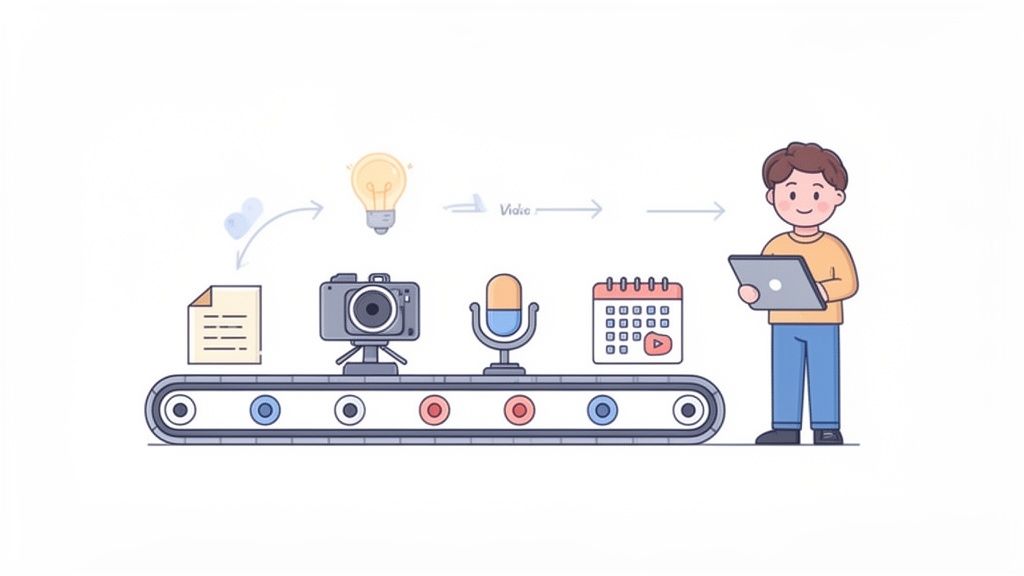
Let’s compare the old way to a modern, automated workflow. The time saved is the core advantage.
Manual vs. Automated Video Workflows
| Stage | Manual Approach (Hours) | Automated Approach (Minutes) | Key Benefit |
|---|---|---|---|
| Trend Research | 1-2 hours | 10-15 mins | Instantly surface viral topics. |
| Scripting | 1-3 hours | 5-10 mins | Generate multiple script variations. |
| Recording | 1 hour | 0 mins (AI Avatar) | Eliminate on-camera time. |
| Editing & Captions | 2-4 hours | 15-20 mins | AI handles cuts, captions, formatting. |
| Publishing | 30 mins | 5 mins | Schedule a week's content at once. |
This isn’t about incremental improvement; it's a fundamental shift from hours per video to minutes. This is how top creators test ideas at a scale impossible just a few years ago.
From Tools to Systems: Practical Use Cases
True automation is about creating a connected engine where one tool triggers the next.
Here’s what this looks like in action:
- Cloning Viral Videos: Instead of manually recreating a trending dance, an automated system can do it for you. Feed it a video link, and it replaces the person with your AI avatar. This is the exact problem tools like VidCloner were built to solve.
- Faceless Content Automation: Build a system that runs "faceless" channels on autopilot. A workflow can scrape Reddit comments, generate an AI voiceover, find B-roll, and assemble a new video daily. This is a core strategy for faceless content.
- UGC Automation: Brands can generate dozens of user-generated content style ads in minutes. By using AI presenters, you test different hooks and CTAs to find what converts, without coordinating with multiple creators.
By building these systems, you produce exponentially more content, jump on trends instantly, and grow faster.
The Core Components of Your Automation Stack
Your automation stack is an assembly line. Each component is a specialized station, working together to turn an idea into a published video. It's about building a connected pipeline.
Here are the four pillars of an effective stack.
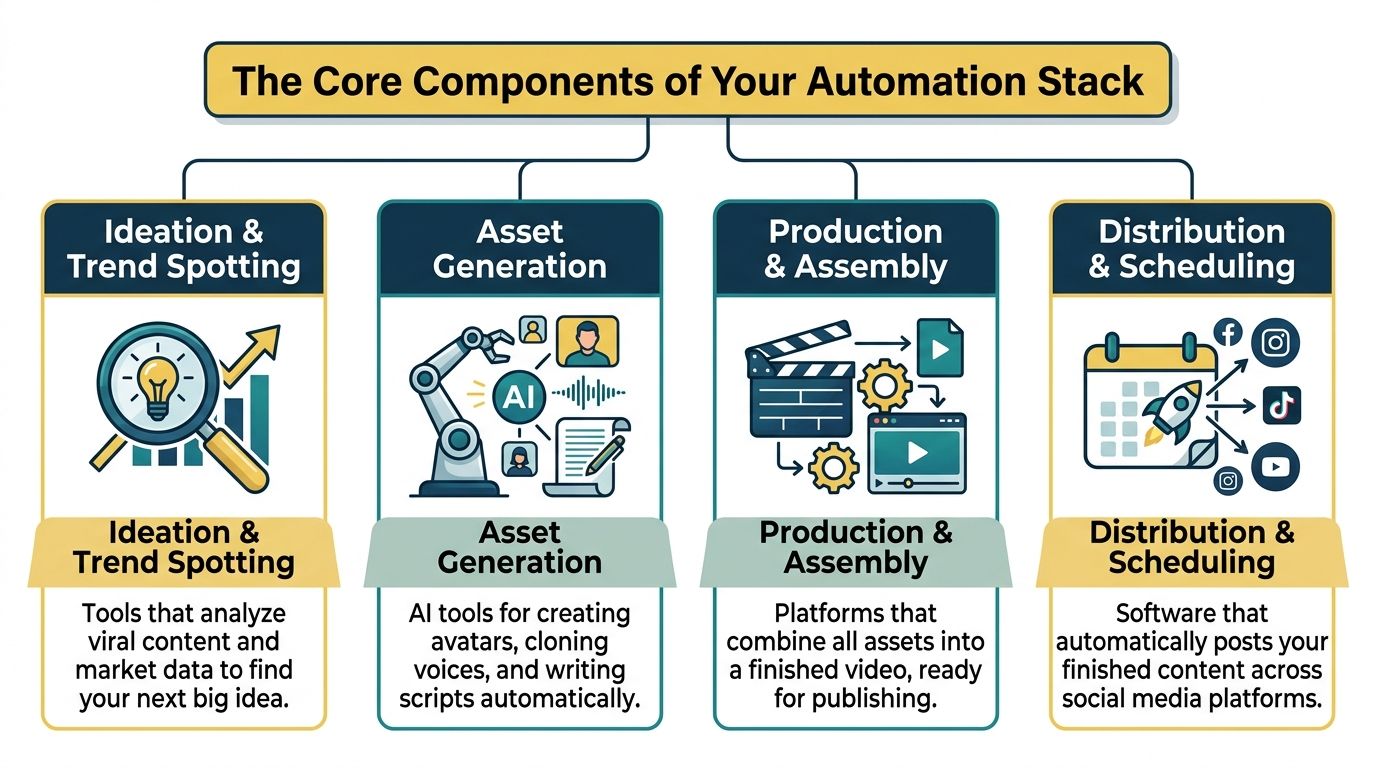
Pillar 1: Ideation & Trend Spotting
Every great video starts with a data-backed idea. The old way was endless scrolling. Automation flips this.
Modern tools scan social platforms, flagging rising sounds, formats, and topics in your niche. You start with a concept that's already showing traction.
Pillar 2: Asset Generation (AI Scripts, Voices, Avatars)
Once you know what to create, you need the raw materials. This is where AI asset generation is a game-changer.
- AI Scriptwriters: Provide a topic or video link to generate hooks, scripts, and CTAs.
- AI Voice Generators: Produce realistic voiceovers for faceless content without a microphone.
- AI Influencer Creation: Generate a digital clone of yourself or create a new AI influencer. This removes the need to be on camera.
Pillar 3: Production & Assembly
This is the heart of your content creation automation workflow. This is where the script, voice, and visuals are assembled into a finished video.
Think of this stage as your automated video editor. It syncs audio, burns in captions, adds effects, and resizes for each social platform.
VidCloner is a prime example of a production tool. It can "Clone" a trending video by swapping the person for your AI avatar or "Remake" a style for faceless content. This condenses hours of editing into minutes. To build an efficient system, you must understand how these powerful platforms operate.
Pillar 4: Distribution & Scheduling
Finally, get your video in front of your audience. Distribution tools connect to your social accounts, letting you schedule an entire week of content at once.
They post at optimal times for engagement and maintain a consistent publishing schedule, closing the loop from idea to published video.
Step-by-Step: How to Automate Short-Form Video
Enough theory. Here is a playbook for building two effective automated video workflows right now.
Workflow 1: Clone Viral Videos with an AI Avatar
This workflow lets you join trends at scale by swapping the creator in a viral video with your own AI influencer or digital twin.
- Find Target Video: Copy the URL of a trending Reel, Short, or TikTok that fits your brand.
- Input Link: Paste the link into a video cloning tool. The system analyzes the motion, audio, and structure.
- Generate/Select Avatar: Create your digital avatar by uploading a few short videos of yourself. You can reuse it indefinitely.
- Initiate Clone: The AI maps your avatar’s body and facial movements onto the original creator’s, replacing them in the video.
- Review & Publish: You get a new video starring your AI persona performing the trend. Add a watermark or CTA before scheduling.
What used to take hours of practice, setup, and editing is now a three-step action: find a link, pick an avatar, and hit "clone." This is a game-changer for UGC automation.
Workflow 2: Automate Faceless Content with a "Remake" Function
Faceless content is a massive opportunity. This workflow automates popular faceless formats, like meme reactions or commentary videos.
- Choose Format: Find a popular faceless style, like a split-screen reaction video.
- Use a "Remake" Tool: Look for a platform with a "Remake" feature, like the one offered by VidCloner. It replicates the video's structure.
- Provide Assets: Upload the video clip you want to react to and a clip of your reaction asset (e.g., a stock video, a nodding character).
- Generate Video: The tool assembles the parts into the correct layout, syncs timing, and adds captions.
Common Pitfalls and How to Avoid Them
Jumping into content automation is not without its traps. The goal is to build a system that extends your strategy, not replace it.
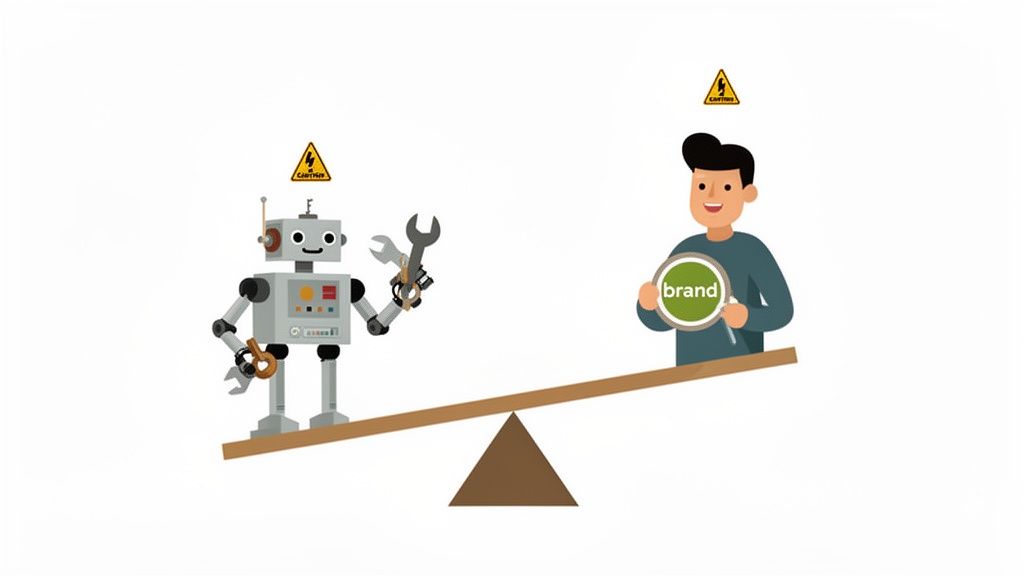
Pitfall 1: Losing Your Brand Voice
The biggest danger is letting your brand become a soulless content factory. When you hand over scripting entirely to AI, your unique voice gets lost.
The Fix: Create a "brand kit" for your AI. This is a detailed set of style guides you plug into your tools.
- Define Personality Traits: Pinpoint 3-5 core traits (e.g., witty, analytical, skeptical).
- Create Voice Guidelines: Get specific about tone, vocabulary, and sentence structure.
- Provide Examples: Feed the AI "good" and "bad" copy that reflects your voice.
This ensures you remain the creative director.
Pitfall 2: Ignoring Performance Data
Automating content creation but forgetting the feedback loop is a classic mistake. Publishing 10x more content that doesn't resonate is scaling failure.
The Fix: Weave performance analytics into your workflow. Set up automated dashboards to monitor engagement, watch time, and CTR. If a batch of faceless content is tanking, the system should flag it so you can adjust.
Your automation engine is only as smart as the data you feed it.
Pitfall 3: Creating Low-Quality Output at Scale
The temptation of quantity over quality leads to spammy content that can get you penalized by algorithms. Using AI influencer creation to generate a hundred sloppy videos is a fast track to getting shadow-banned.
The Fix: Define clear quality standards. For a tool like VidCloner, that means using high-resolution source clips and well-trained avatars. Most importantly, build a "human-in-the-loop" review stage to spot-check output before it goes live.
Measuring the ROI of Your Automation Strategy
Investing in new tools requires a measurable return. You need to track the numbers that impact your bottom line.
Key KPIs for Automation ROI
- Content Velocity: How many finished videos are you publishing per week? If you go from 3 to 10, your velocity has tripled.
- Cost Per Video: Divide total monthly tool costs by your Content Velocity. This number should plummet compared to hiring an editor or valuing your own time.
- Trend Response Time: How long does it take from spotting a trend to publishing your video? Automation for cloning viral videos can cut this from 24 hours to under one hour.
Focusing on these numbers transforms the conversation from "Is this tool cool?" to "Is this system profitable?"
Building Your ROI Dashboard
A simple spreadsheet is enough to track your new strategy.
| Metric | How to Calculate | Why It Matters | Industry Benchmark |
|---|---|---|---|
| Content Velocity | Total videos published / time period | Measures raw output and ability to scale. | Top creators post 3-5+ times daily. |
| Cost Per Video | (Tool subscriptions + asset costs) / # of videos | Proves financial efficiency of automation. | Aim for <$5 per automated video. |
| Engagement Rate Lift | (Automated Post Engagement / Manual Post Engagement) - 1 | Shows if automation improves audience connection. | A 20-30% lift on average. |
| Trend Response Time | Time from trend discovery to publication | Measures your first-mover advantage. | Under 2 hours for automated workflows. |
Companies using social media automation report engagement increases of 20-30%. Those automating distribution see rates climb over 50%. For more, see these automation statistics.
Frequently Asked Questions (FAQ)
Is it legal to clone a viral video?
Directly re-uploading someone else's video is a copyright violation. Smart automation is about replicating a format, trend, or sound with your own performance or AI avatar. The key is transformation, not duplication. Think of it as covering a hit song; you're participating in the trend, not stealing the asset.
Can AI create a realistic digital avatar of me?
Yes. As of 2026, modern AI influencer creation tools are astonishingly good. They generate a highly realistic digital version of you from just a few minutes of source footage, capturing your unique expressions and mannerisms. This is the core technology behind scaling your presence via UGC automation.
What's the best way to start with faceless content automation?
Start small and get a quick win. Pick a single, repeatable video format and automate that first. Good starting points for faceless content include:
- Reaction Videos: Use a "Remake" function to layer stock video over a viral clip.
- Quote/Tip Videos: Generate daily videos with text overlays and animated backgrounds.
- Meme Replications: Drop your own images or text into a pre-made meme template. Validate what your audience wants, then expand your system.
How much does an automation stack cost?
A powerful starter system can be built for under $100 per month. This typically includes a core video automation tool like VidCloner ($19-$49/month), a scheduler, and a trend-spotting tool. As you scale, you might add more advanced tools. The investment should always be less than hiring an editor or the value of your own time.
Ready to stop wasting time on repetitive video editing and start scaling your output? VidCloner lets you clone viral trends with your own AI avatar or remake popular formats for faceless content in just minutes. Start building your automated content engine today.