How to Clone Yourself in Video: A Builder's Guide to AI and Editing
Learn how to clone yourself in video with our 2026 guide. Master traditional editing tricks and new AI tools to create viral content and scale your output fast.
To clone yourself in a video, you have two primary methods: traditional video editing or a modern AI video generator. The classic approach offers granular control but requires significant time and skill. AI offers unmatched speed and scalability, making it ideal for builders and marketers.
Two Paths to Cloning Yourself in a Video
Cloning is a visual effect that creates multiple versions of you in one shot. It's a powerful tool for making more engaging content, scaling production, and capitalizing on trends without a full film crew.
The two methods serve different purposes:
Traditional Cloning: This is a manual process. You lock a camera on a tripod, film yourself in different positions, and then use software like Adobe Premiere Pro or Final Cut Pro to layer and mask the clips. It's best for scripted scenes requiring precise control.
AI Cloning: This is the automated path. You create a digital version of yourself (an avatar) from a sample video. Then, you can generate new videos of your "clone" by providing a script or a link to a video you want to replicate. This is built for speed and volume.
This flowchart illustrates the stark difference in workflows.
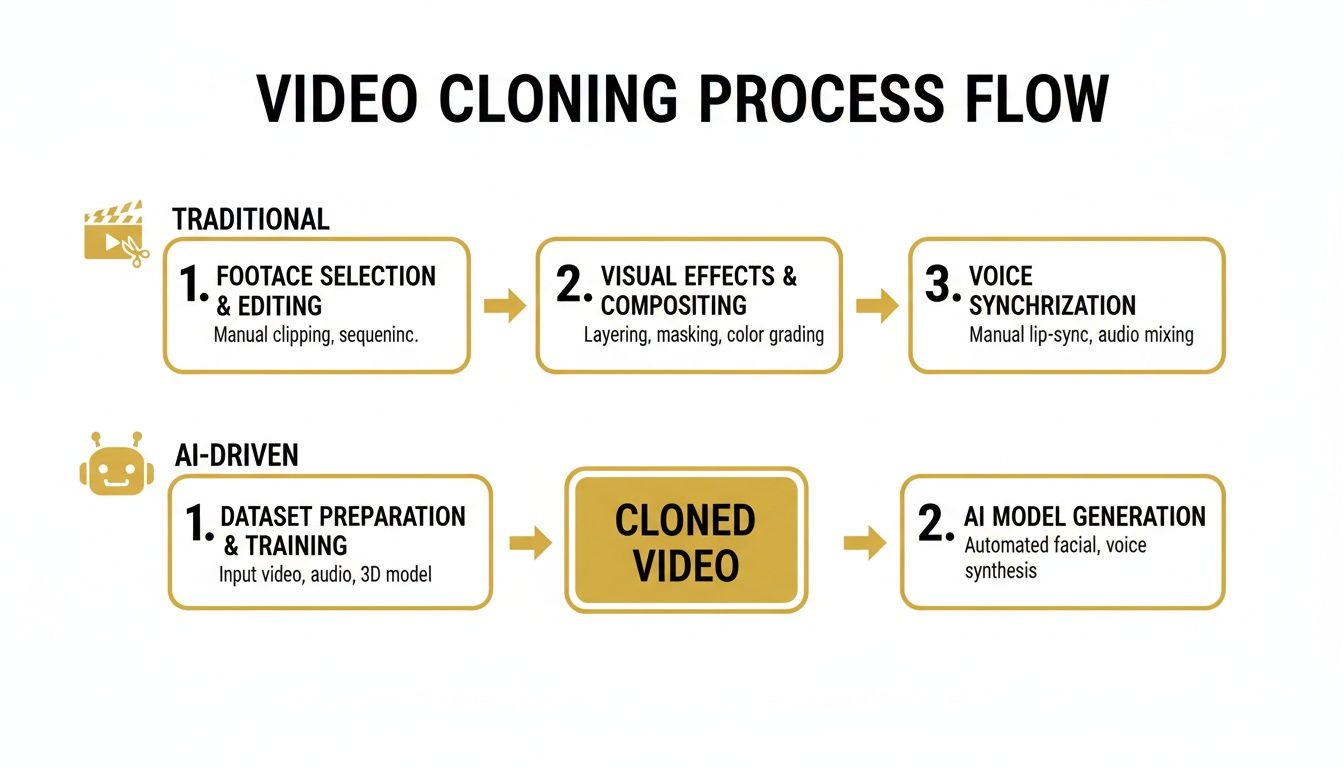
The AI workflow eliminates most manual filming and editing, focusing on automation and rapid output.
The AI Shift in Content Creation
The move toward AI is a major market shift, not a passing trend. The AI video generation market is projected to grow significantly, with some AI video statistics showing massive year-over-year increases.
This growth is driven by the demand for scalable content solutions.
AI tools democratize video production. This enables practical use cases like UGC automation, AI influencer creation, or cloning viral videos in minutes—tasks that were once complex and time-consuming.
Video Cloning Methods Compared
This table provides a direct comparison to help you choose the right method for your objective. Consider your goals, budget, and technical comfort level.
| Feature | Traditional Cloning (Editing) | AI Cloning (e.g., VidCloner) |
|---|---|---|
| Effort | High. Requires filming and meticulous masking. | Low. Upload a sample video and generate content. |
| Speed | Slow. Hours or days per video. | Fast. Generate new videos in minutes. |
| Skill Level | Intermediate to advanced editing skills needed. | Beginner-friendly. No editing skills required. |
| Creative Control | Full control over performance, lighting, and interaction. | Limited to AI's interpretation and capabilities. |
| Use Cases | Scripted short films, narrative skits, artistic projects. | Scaling social media content, UGC ads, trend jacking. |
| Consistency | Challenging to match lighting and audio across takes. | Perfectly consistent audio, tone, and appearance. |
The best method depends on your goal.
For a short film where you argue with yourself, traditional editing provides the necessary precision.
For a marketer who needs to produce dozens of video ads, AI cloning is the superior choice for speed and volume. Tools like VidCloner are designed for this, helping you create faceless content or react to trends without a camera.
This guide covers both workflows, starting with the classic method.
Mastering Traditional Video Cloning Techniques
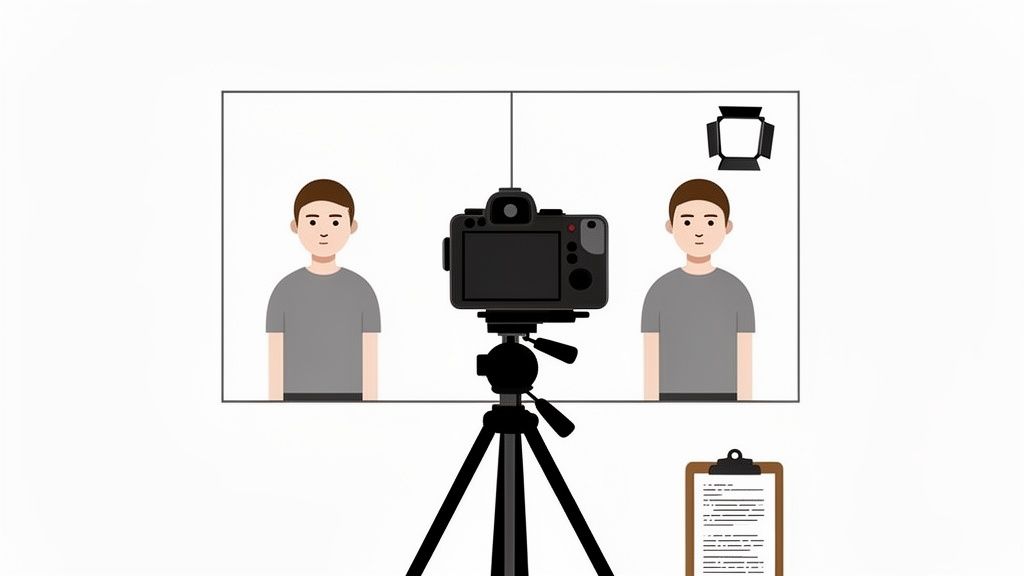
Before AI, creating a believable on-screen twin was a craft built on careful planning and hands-on editing. This classic method gives you total creative authority and remains the best approach for scripted scenes where performance nuances matter.
The concept is simple: film yourself in the same spot multiple times in different roles, then merge the performances in post-production. The secret to a seamless result lies in meticulous execution.
Pre-Production: Your Blueprint for a Believable Clone
Time spent in pre-production directly reduces editing headaches. Your goal is to create a consistent environment so the final shot looks like it was captured in a single take.
Here are the critical steps:
- Lock Down Your Camera: Use a sturdy tripod. The camera cannot move at all between takes. Any shift will make alignment impossible and break the illusion.
- Use Manual Settings: Set focus, white balance, ISO, and aperture to manual. Auto settings can cause subtle shifts in brightness or color between takes, which exposes the effect.
- Control Your Lighting: Consistent lighting is crucial. Do not rely on natural light from a window, as a passing cloud can ruin the shot. Use artificial lights you can fully control.
Once the technical setup is locked, map out the performance. Know where each "clone" will be and what they'll do. A simple way is to imagine an invisible line splitting the frame, with Clone #1 on the left and Clone #2 on the right.
The Shooting Process
With a plan, shooting becomes methodical. You perform one role completely, then reset and perform the other.
First, film the entire performance as Clone #1 on their designated side. To make the interaction feel real, play a pre-recorded audio track of the other clone's lines to react to. This ensures natural timing.
Next, without moving the camera, perform as Clone #2 on the other side of the frame. Pay close attention to your eyeline. If Clone #1 was sitting on a specific cushion, look directly at that spot when delivering your lines.
Pro Tip: Place a stand-in object (like a lamp or tape on the wall) to mark your other clone's eye level. This provides a consistent focal point and is the best trick for creating believable eye contact.
Post-Production: Bringing Your Clones Together
Now, you'll merge the shots. This requires a video editor with masking capabilities, like Adobe Premiere Pro, Final Cut Pro, or a capable mobile app like CapCut.
Here's the workflow:
- Layer Your Clips: Drag both video files onto your timeline, placing one on top of the other. Sync the audio and actions.
- Apply a Mask: Select the top clip and use the mask tool to draw a shape that isolates the clone in that clip. For a basic shot, a straight line down the middle often works.
- Feather the Edges: A hard mask edge creates a visible line. Use a "feather" or "softness" setting to blur the edge slightly, making the seam between the takes disappear.
- Color Correction: Apply a final color grade to the entire merged shot, not the individual clips. This unifies the look and sells the effect that it was a single take.
While labor-intensive, mastering this technique gives you ultimate control over your final product.
How to Clone Yourself with AI in Minutes
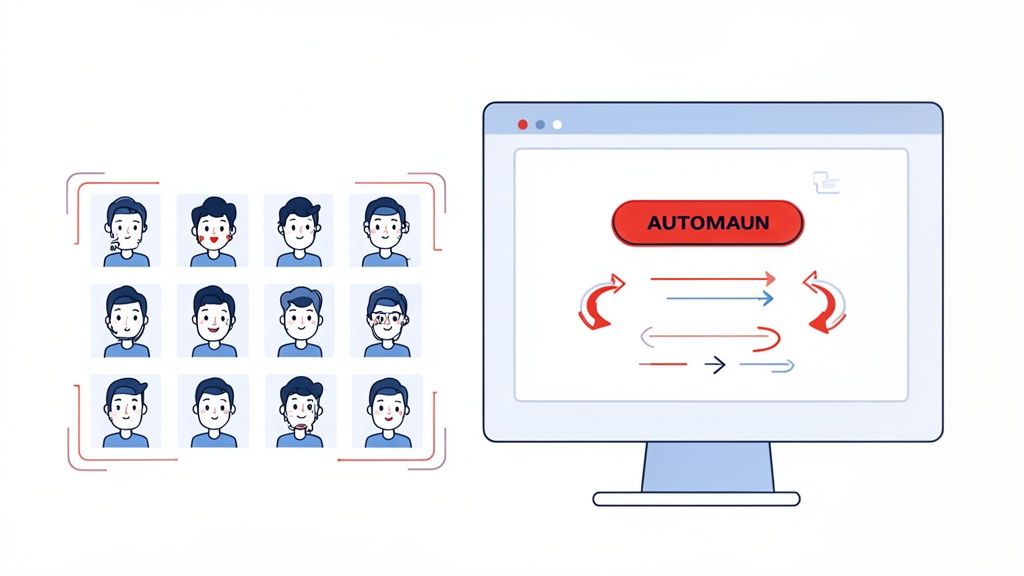
If traditional cloning feels too slow, AI offers a better way. Modern AI tools are built for speed and efficiency, removing the manual work of masking and editing.
This approach is a complete departure from traditional methods. AI platforms let you generate a digital version of yourself to star in new videos on demand. It's a massive shortcut for scaling content, especially for UGC-style ads, viral trends, or building an AI influencer.
The process is simplified to a few clicks, requiring no technical skills.
Building Your Digital Twin: Your AI Avatar
Everything starts with creating your digital avatar—an AI model trained on your likeness. The quality of your avatar dictates the quality of your final videos.
Platforms like VidCloner streamline this process. You need to provide good source material. The two best options are:
- A set of clear photos: Use several well-lit pictures showing your face from different angles and with various expressions. This gives the AI a 3D understanding of your face.
- A short video clip: This is often superior. A 1-2 minute video of you talking to the camera and turning your head slightly provides rich data on your mannerisms for a more realistic avatar.
Once uploaded, the AI analyzes your features to build your digital twin. After training, your clone is ready for use in any video.
The Two Core AI Cloning Workflows
With your avatar built, you can start making videos. Most platforms offer two main creation paths for different content types.
1. The 'Clone' Workflow: Instantly Replicate Viral Videos
The most direct method is often called ‘Clone’. This is your fast pass to replicating any viral video.
The ‘Clone’ function is brutally efficient. You find a trending TikTok, copy the link, and paste it. The AI replaces the person in the original video with your digital avatar, mimicking their movements and expressions.
This allows you to participate in trends in near real-time without filming yourself.
2. The 'Remake' Workflow: Create Original Content at Scale
The second, more powerful workflow is often called ‘Remake’. This is where you direct your avatar in new scenarios.
Instead of copying an existing video, you use your clone as an actor in new footage. You can have your avatar react to a product, deliver a script, or perform an action. This is perfect for UGC automation, allowing you to create dozens of ad variations without reshooting.
Why This Changes the Content Game
The value of AI cloning isn't just making one video; it's producing content at a volume that was previously impossible for a solo creator or small team. This is becoming a standard part of the modern marketing playbook.
Here are a few practical applications:
- Cloning Viral Videos: A new dance challenge appears. Instead of learning it, find a good example video and let your AI clone perform it. You can have a version ready to post in minutes.
- AI Influencer Creation: Build a brand around your digital avatar. Generate daily content without the grind of filming, making it easier to create an AI influencer with a consistent posting schedule and a distinct persona.
- Faceless Content with a Face: For a niche channel on history or science, use your avatar as a narrator to add a human element. This is a simple way to make faceless content more engaging and build a connection with your audience.
AI tools shift your focus from the technical mechanics of video production to creative strategy.
Practical Use Cases for Cloned Video Content
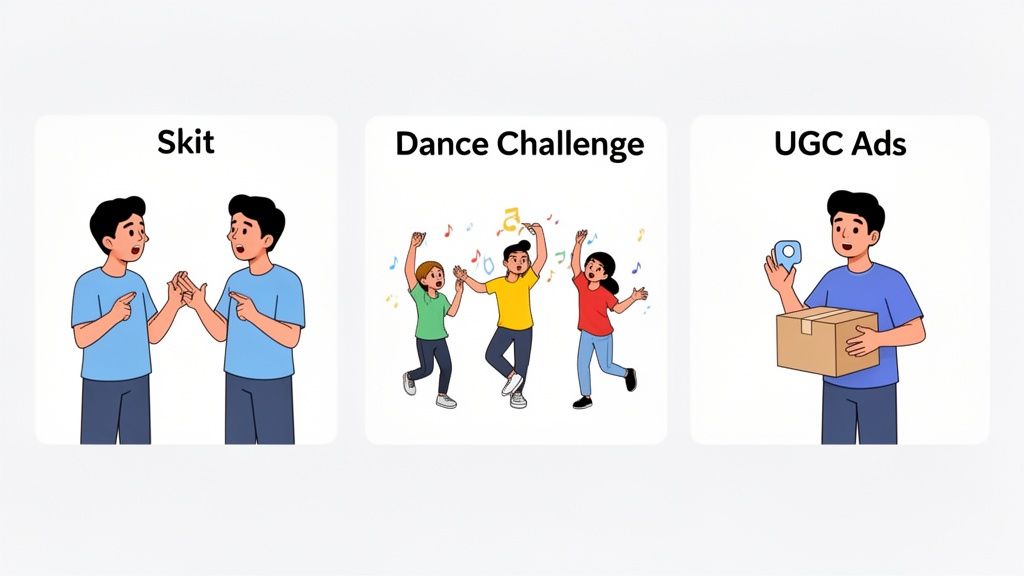
Knowing how to clone yourself is one thing; knowing what to create with that skill is another. The right technique depends on your goal. Traditional masking offers control for narrative pieces, while AI cloning provides the speed and volume needed for modern marketing.
Here are actionable use cases showing when to use each approach.
Boost Engagement with Creative Skits and Debates
Staging a conversation or debate with yourself is a powerful format for explaining complex topics or creating comedy. It makes content more dynamic than a standard talking-head video.
- Educational Debates: To explain a complex topic, have your "expert" self debate a "skeptical" clone. This makes the information more engaging. For this, use the traditional cloning method for fine-tuned control over the performance and dialogue.
- Comedic Twin Skits: This is a proven format for TikTok and Shorts. Short, punchy skits where your clones argue or have opposite personalities work well. Comedy relies on timing, so the precision of the traditional method is ideal.
A well-executed "debate with yourself" video simplifies complex ideas and positions you as an expert. This format can significantly increase watch time compared to a standard talking-head video.
Scale Your Ad Creatives with AI
For marketers and UGC creators, producing endless ad variations is a major bottleneck. This is where AI cloning enables UGC automation at a scale impossible to achieve manually.
With an AI tool like VidCloner, your digital avatar becomes a tireless actor. You can generate numerous ad creatives without touching a camera after the initial avatar setup.
For example, using a single product:
- Generate different reactions (excited, surprised, thoughtful).
- Place your avatar in dozens of different virtual backgrounds.
- "Use" the product in various ways by mimicking different source videos.
This is a powerful tool for A/B testing. Generate 10 or 20 unique ad creatives in the time it used to take to film one. This accelerates your optimization cycle. For more examples, see these AI-driven use cases for content creation.
Dominate Trends and Build an AI Influencer
On platforms like TikTok and Instagram, speed is a competitive advantage. Trends explode and fade quickly. AI cloning gives you the ability to react instantly.
Forget spending hours learning a dance or edit. With an AI tool's "Clone" feature, you can grab a trend video, and the AI will swap in your avatar, matching the performance instantly. You can post your version in minutes.
Taking this further is the foundation of AI influencer creation. By regularly creating content with your digital avatar, you build a virtual personality. This allows for a high-volume posting schedule without the burnout of daily filming—a powerful strategy for building a "faceless" channel that still feels personal.
Getting Your Clones to Go Viral: Advanced Tips
You know how to clone yourself. Now, make that video believable and shareable. This is where you move from a simple trick to effective storytelling that hooks an audience.
Whether using traditional editing or an AI tool, these finer points will elevate your work.
Selling the Illusion with Interaction
A poor clone video is easy to spot: the clones don't interact with each other or the environment. They feel disconnected.
To fix this, you must trick the viewer's brain into seeing one cohesive scene.
- The Classic Object Pass: This is the gold standard for selling the effect. Have one clone hand an object to the other. To do this, film Clone #1 placing an object (e.g., a mug) on a table. Then, film Clone #2 picking up that same mug. In editing, mask the clips to create a seamless handoff.
- Give Your Audio Some Space: Don't just layer the raw audio. If one clone is behind the other, their voice should be slightly quieter with more reverb. This audio cue creates a sense of depth and makes the physical space feel real.
When clones share the same physical space and interact with the same objects, the audience stops analyzing the "trick" and accepts the reality you've created.
Getting the Most Out of AI Cloning
When using AI for UGC automation or faceless content, your success depends more on strategy than editing skills. The AI's output is a direct reflection of your input.
Here’s how to get great results.
Consistency is Your Best Friend To build a recognizable AI persona, you must feed the AI high-quality, consistent source material. A well-lit, clear video of yourself will always produce a more reliable avatar than random, poorly lit selfies. Garbage in, garbage out.
Don’t Just Clone—Analyze First The power of AI isn't just remaking a video; it's remaking a successful video. Before you clone, deconstruct what makes a top-performing video work. Is it the fast cuts? A specific sound cue? A punchline in the first three seconds?
Once you identify these key elements, find a source video that already includes them. Using AI to remake a strategically chosen viral video is how you leverage a trend effectively. See how this strategy plays out in these AI-powered video examples.
A Quick Word on Ethics and the Law
As cloning tools become more powerful, it's smart to consider the ethical implications. Transparency is the best policy.
- Be Transparent About AI: While not always required, being open about your use of AI builds trust. A simple hashtag like #AIgenerated in your description is often sufficient.
- Remake, Don’t Rip Off: Re-uploading someone else's video is a copyright violation. The legal and creative approach is to use AI to remake the format or style, participating in the trend without infringing on the original creator's work.
This technology is evolving rapidly. The AI video generation market is projected to grow from $3.67 billion in 2026 to $24.89 billion by 2036, according to these projections in AI video software here. As these tools become standard, those who use them responsibly will lead the way.
FAQ: Your Top Video Cloning Questions Answered
Here are straightforward answers to the most common questions about video cloning.
Can I clone a video on my phone without professional software?
Yes. The classic method works on mobile apps like CapCut, which offer masking and layering. The process is the same: lock your phone on a tripod, film your "clones" separately, then layer and mask the clips in the app. This method requires patience and manual editing. For a faster alternative, AI tools allow you to generate clones with a few taps.
Is it legal to clone viral TikTok videos?
It's a gray area. Directly re-uploading someone else's video is a copyright violation. However, the culture of TikTok is built on remixing trends and formats.
The ethical approach is to remake the format, not steal the content. This is what AI platforms like VidCloner enable. You use a viral video as a template to generate a new, original video starring your AI avatar. This allows you to participate in the trend while respecting the original creator.
How do I create an AI influencer of myself?
Creating an AI influencer involves generating a digital version of yourself to produce content on your behalf. This is a powerful strategy for AI influencer creation.
Here's the process:
- Train Your Digital Twin: Upload high-quality photos or a short video of yourself to an AI platform like VidCloner. The AI uses this data to build a photorealistic avatar.
- Generate New Content: Use 'Clone' or 'Remake' workflows to place your avatar into any video scene.
- Scale Your Brand: Produce a consistent stream of content featuring your AI persona. This is the core of UGC automation—building a brand that can post regularly without you needing to film new content.
What's the best way to make my clones interact believably?
For traditional editing, interaction relies on planning. Before filming, place a physical marker where your other clone will be to ensure a consistent and believable eyeline. It also helps to pre-record dialogue and play it back during filming for natural timing.
When using AI, the interaction is determined by the source video you clone. Your job is to select a high-quality source clip. A video where the subjects already have a compelling dynamic will produce a great final product, as your AI avatar will mimic that performance.
Ready to stop editing and start creating? With VidCloner, you can automate your content creation and go viral in minutes. Start cloning yourself with AI today at VidCloner.